

HOW (AND WHY!) TO LEAVE A GAME REVIEW
Whether you're racing for the Crown of Command in Talisman, hunting the Count in Fury of Dracula, or battling against your friends in Mystic Vale, reviews are the single most powerful way you can support our small studio. As we’re not part of any huge corporation and we don’t have a huge marketing team, we rely on our amazing players to help us spread the word about the games we make and the titles you love!
If you've ever wondered how game reviews work or why developers are always asking for them, here is a quick breakdown of why your voice matters and how you can leave one in less than two minutes.
Why Game Reviews Matter More Than You Think
They Feed the Algorithm: Steam, Xbox, PlayStation, Apple and Google all use customer review scores to decide which games to show on store frontpages, discovery queues, and seasonal sale hubs. Higher ratings directly increase our visibility to new players.
They Keep Independent Studios Growing: As a specialist studio dedicated to digitizing physical board games, every review helps keep our titles visible against massive AAA releases, allowing us to keep expanding and supporting our games long-term.
A Direct Line to the Dev Team: We actively read community reviews! Honest, constructive feedback helps our team prioritize quality-of-life updates, balance tweaks, and informs decisions on what community-requested DLCs we launch.
Guiding Fellow Board Game Fans: Tabletop gamers want to know how a digital adaptation handles online multiplayer, UI clarity, AI opponents, and solo play. Your review gives other players real insight before they buy.
How to Leave a Steam Review (It only takes a couple of minutes!)
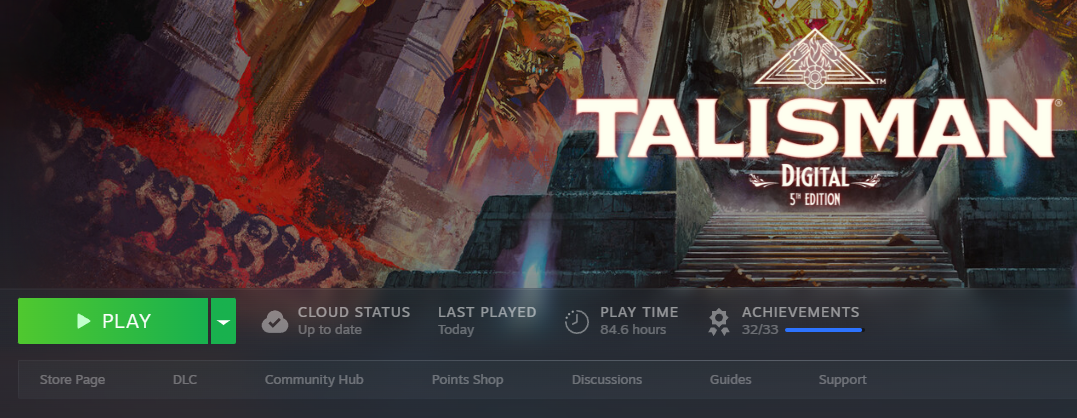
Start Steam by either opening the Steam client or just log into Steam in your browser.
Go to your Library and click on any game in your collection you want to review (e.g., Talisman: Digital 5th Edition). You can review DLC too!
You’ll see the option to go to the Store Page for that game, where you’ll be able to leave a review.
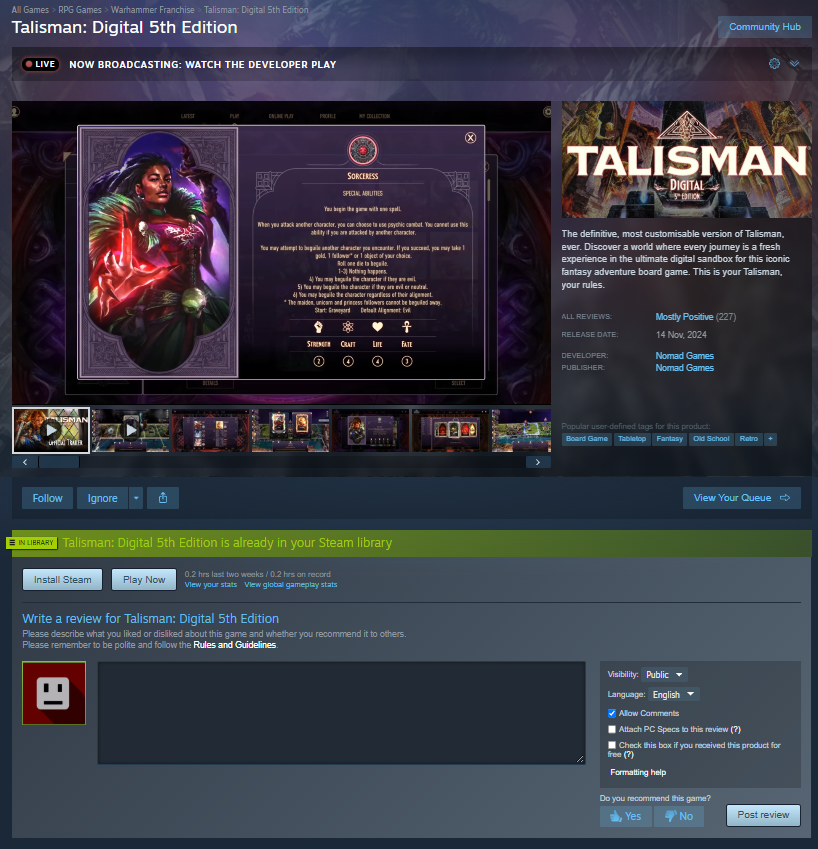
Scroll down the game page until you see the Write a Review box on the right-hand side (or scroll to the bottom of the game's official Store Page).
Select whether you recommend the game (Thumbs Up) or not (Thumbs Down).
Type a few words about your experience. It can be as short as a single sentence or a detailed breakdown of your favorite expansions, characters and more.
Click Post Review. Done!
Xbox Series X|S & Xbox One
Search for the game you want to review in the Microsoft Store app on your console or browser.
Scroll down to the Ratings and reviews section on the game's product page.
Select Write a review, choose your star rating, add a short title and description.
Select the ‘Submit now’ option and send off your review!
If you’d rather have a video walkthrough of how to leave a review on Xbox, YourSixStudios has published an informative video guide on how to leave an Xbox game review:
PlayStation 5 & PlayStation 4
Navigate to the game page in the PlayStation Store on your console, via the PS App or on the PlayStation store website.
Select the Star Rating displayed next to the game’s title.
Choose your 1–5 star rating (PlayStation uses star ratings to boost store visibility).
If you’d rather have a video walkthrough of how to leave a review on the PlayStation store, YourSixStudios has also published an informative video guide on how to leave a PlayStation game review:
iOS (App Store)
Open the App Store on your iPhone or iPad and search for your game (e.g., Talisman or Cat Lady).
Scroll down on the product page to Ratings & Reviews.
Tap Write a Review, select your star rating, enter a short title and feedback, and tap Send.
Android (Google Play Store)
Open the Google Play Store app and search for your game.
Scroll down to the Rate this app section.
Tap your star rating (1–5) and select Write a review if you want to leave a short comment for the developers.
Tap ‘Post’ to send off your review!
Tips for Writing a Great Review
Brief is Brilliant: You don't need to write an essay. A quick note like "Great digital adaptation, love playing multiplayer with friends" is more than enough to count toward our review score. But write what you think are the right words to describe your experience with the game!
Mention Your Favourite Modes: Let people know if you enjoy the solo AI, cross-play features, or specific expansion packs.
Update Past Reviews: If you left a review years ago mentioning a bug or missing feature that has since been fixed, updating your review to reflect the current state of the game makes a massive difference to our team! Check out this quick video tutorial on how to edit your Steam reviews to see how it’s done.
Platforms Review Reviews: Most of the platforms where you can purchase games from will have an approval process for customer reviews, to make sure they’re genuine reviews. So if you can’t see your review yet after you post it, that might be why!
Thanks for reading this and, if you’ve reviewed ours or any other games, we want to give you an extra thank you!