
18th February 2026
Take Control of Your Destiny in the 'Change of Fate' Update for Talisman: Digital 5th Edition
Hi again Talisman fans!
We are thrilled to announce that the latest major update for Talisman: Digital 5th Edition is officially live on Steam.
We’re calling this one the ‘Change of Fate’ Update.
Why? Because this patch is all about giving you total control over your adventure. Whether it’s controlling how the game looks, how you set up your lobby, or even controlling the very dice themselves—this update puts the power of destiny firmly in your hands.
If you’re just looking for the headlines, the four big features of the Change of Fate update are:
The option to put text back on cards
The ability to manually enter your dice rolls, should you wish to do so
The ability to save and load different game setup configurations
New house rules for Alliances: Fate Beckons to adjust the difficulty
Late last year, we launched The Anniversary Update for Talisman: Digital 5th Edition, adding a heap of community-requested quality of life features and improvements to the game. If you missed it, you can read about everything it added to the game here. The reception from you all following that update was massively positive and appreciated, and we used that feedback to directly inform how we put together the Change of Fate update.
But we’re guessing you all want a deep dive into these features and how they work, so let’s get into it!
Text on Cards
We know that for many of you, Talisman is all about the nostalgia of the physical board game. You want to look at the beautiful artwork and read the card itself at the same time, and this is something we heard loud and clear after the game launched both on our social media channels and here on Steam.
So, to better recreate that feeling of looking at the cards as they exist physically, we’ve added a new visual option that renders Rule Text directly on the cards. Check it out!
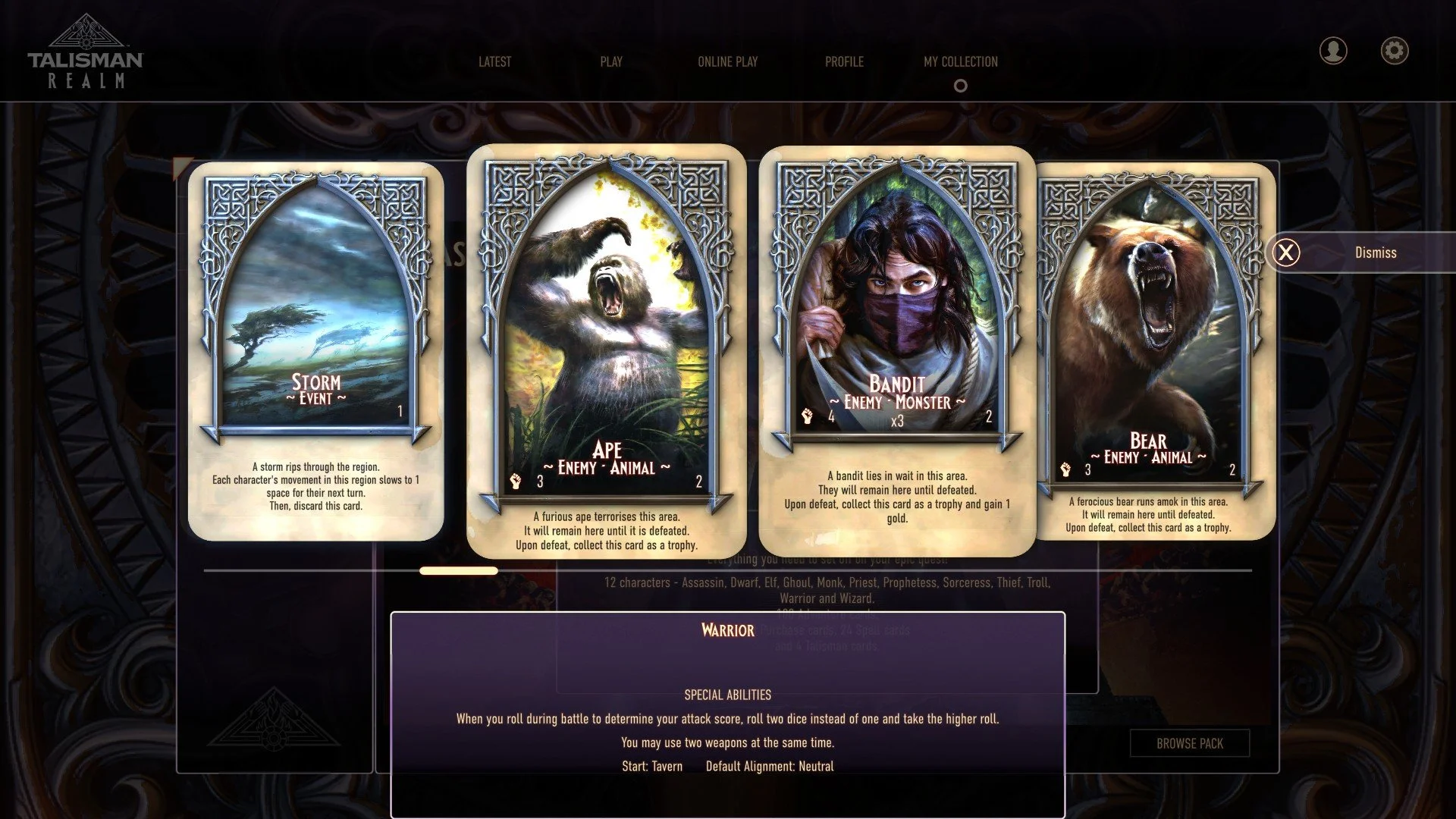
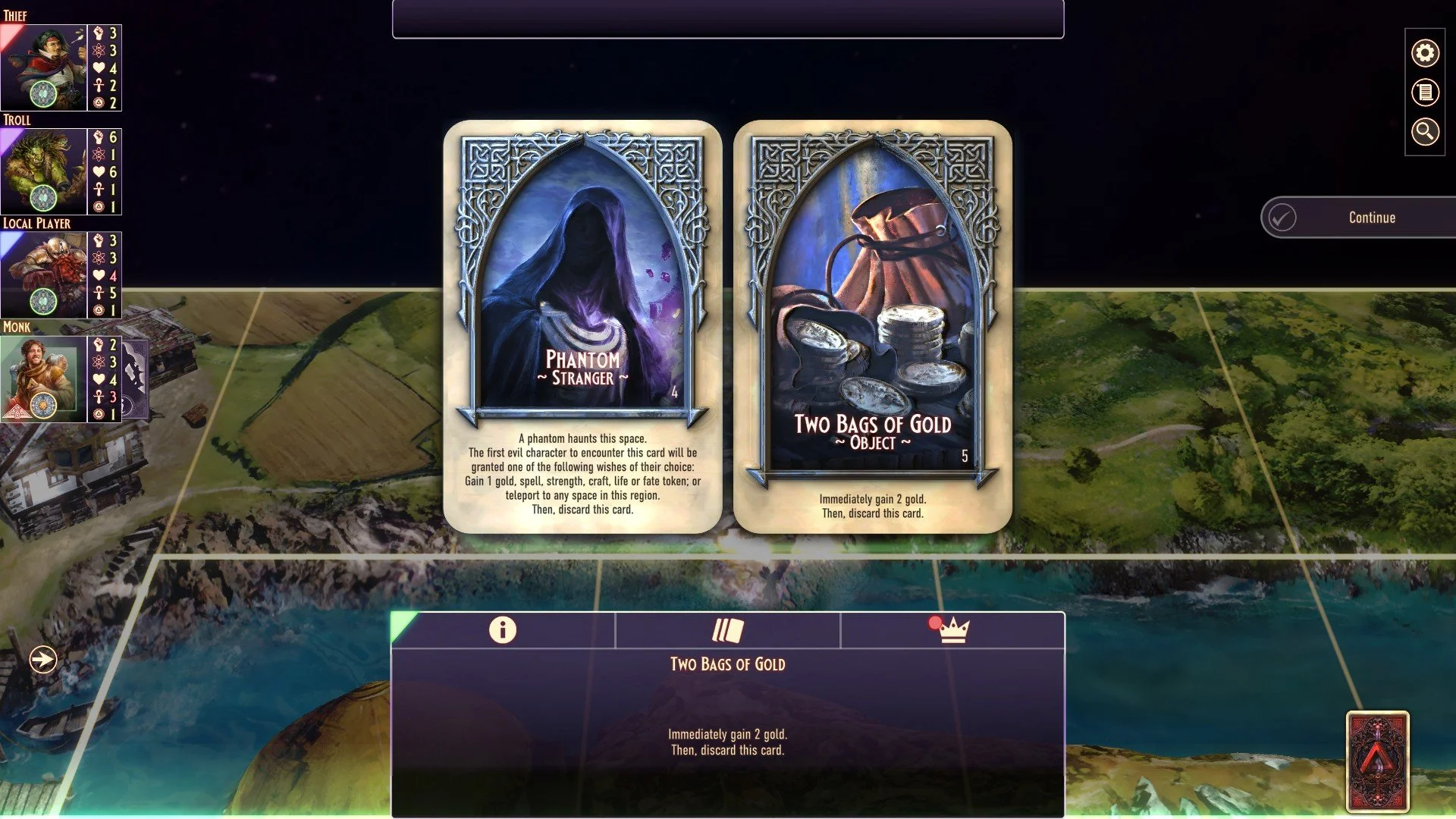
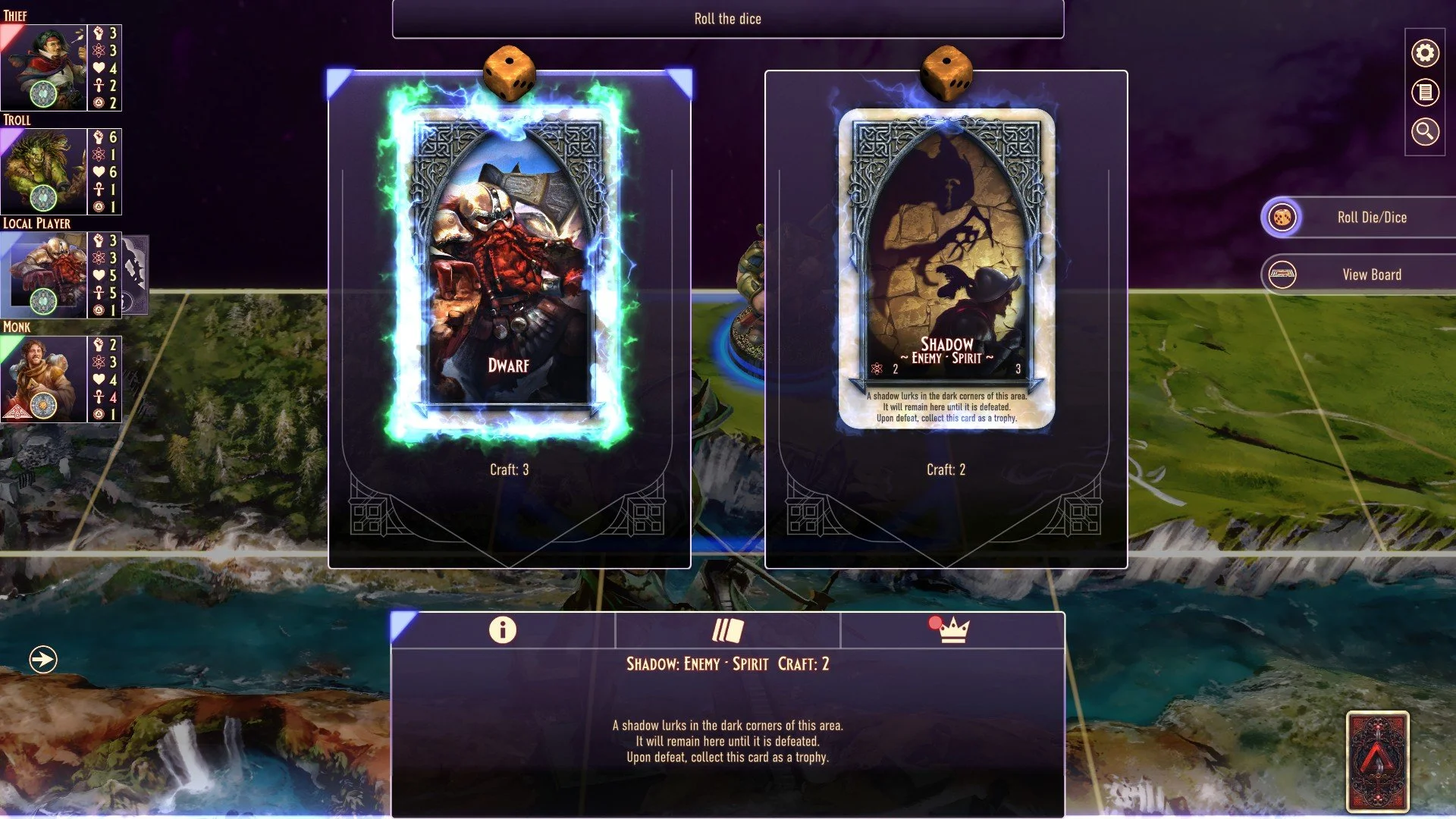
This means you can now read the effects, spells, and encounters right on the card face, just like you would if you were sitting at a table. It makes the game feel more tactile, immersive, and authentic. (And don't worry—if you prefer the clean, full-art art view the game had previously, you can toggle this off in the settings!)
Saved Game Setup
With more expansions, characters, and house rules being added to the game, we know that setting up your "perfect lobby" was starting to take a few too many clicks.
So, with the Change of Fate update, you can now save multiple lobby configurations!
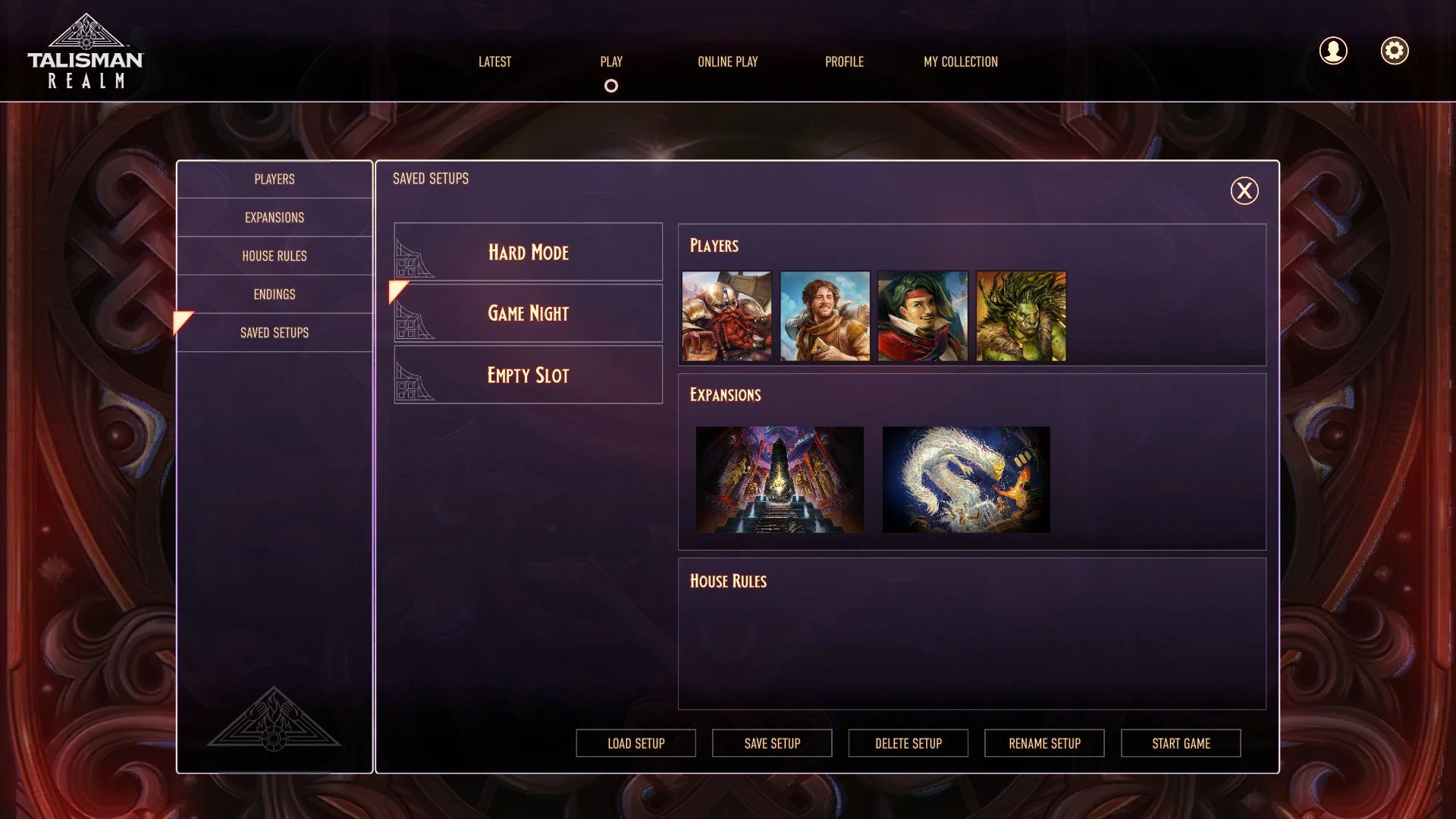
As you can see in the new "Saved Setups" tab, you can name and store your favourite ways to play. Whether it's a "Hard Mode" run with specific House Rules enabled, or a "Game Night" setup with your favourite 4 characters and expansions pre-loaded, you can save it all to a slot You can name your setups however you like, and use them either locally or online too!
Next time you want to play, just hit "Load Setup" and you’ll be ready to start the game in seconds. No more toggling menus while your friends wait in the lobby!
Alliances Difficulty Options
We’ve heard from players who love the challenge of the Alliances expansion but sometimes feel the pressure of the Doom Tracker kicks in a little too fast. To give you more control over the pacing of your cooperative games, we have added a new House Rule that allows you to delay the doom tracker advancing.
This option allows you to set a specific number of Trail Events to ignore before the Doom Tracer starts advancing.
Want a chance to build up your strength before the world starts ending? Set a delay!
Want to give new players a fighting chance to learn the ropes without the immediate threat of failure? This is the perfect tool.
Once you’ve worked through the Trial Events you set to ignore, the Doom Tracker will begin ticking up as normal—so make sure you use that extra time wisely!
Manual Dice Mode
Finally, the feature that gives this update its name. For the ultimate "House Rule" experience, we have added the ability to enable Manual Dice Entry.
When this House Rule is active, the game won't roll the dice for you. Instead, you (or the Game Master) can input the specific number you want to "roll."
Why add this?
Storytelling: Great for content creators or streamers who want to force a specific narrative or funny moment.
Testing: Want to see what happens if you land on a specific space? Now you can.
Physical Parity: Playing a physical game of Talisman but using the digital version to track the board state? Now you can roll your physical dice and input the result into the game!
This is a feature that Talisman players have been asking for digitally for a long time, so we hope you all appreciate it!
Something worth mentioning and keeping in mind, is that playing with manual dice entry will prevent you from unlocking achievements and we won’t track your statistics in games with it enabled. We want achievements to still feel like achievements, and rolling a 1 four times in a row during your turn doesn’t feel quite as inconceivable when you can just choose your rolls!
Other Fixes
Alongside all these big features, we also have a range of bug fixes included in this update. Check out the full list below!
Sometimes the 'fight in psychic combat' button would spill out of the box it’s meant to be in - this is now fixed!
We’ve updated some of the 3D character models to improve their looks.
We’ve made a bunch of small tweaks to text content across most languages, tidying up typos and making wordings more clear.
We’ve also slightly tweaked the layout of multiple text and buttons across the game to improve visual clarity across the game.
In Alliances, sometimes the Corrupted Elder Dragon had their strength and craft choices switched - this is now fixed!
Previously, quitting out of an Alliances game then choosing to make a new game would sometimes show Endings instead of Trials. This is also now fixed!
When using the Swordsman’s Parry ability against an Alliances Villain, a loss was being treated as standoff
Rarely, when the player attacked an Alliances villain in psychic combat they were forced to use their strength value instead. This is now fixed.
The number of Talismans in your custom deck now return to their default amount in the Deck Editor as they should if you’ve edited your deck.
We’ve fixed the Reaper NPCs text in the deck browser, as previously it looked odd.
If you changed your language settings while looking at a character's description, it wouldn’t always change their description to the new language you’d selected. Now it does!
The mighty Minotoad was missing descriptions in French and Italian. Personne ne peut arrêter le minotoad ! Même pas en italien ! 🐸
Clicking on a card category when using the Deck Editor now jumps you to the first card in that category, to make it easier to navigate the Deck Editor.
We’ve also tidied up the card swiper animation in the Deck Editor, to make the overall experience of deck editing a bit smoother
The Arena card from The Reaper Classic would occasionally not let the player summon someone - it now works as intended.
Previously, all players could sometimes see the next card's name when the Sage was using his ability and were also able to see other players' spells when the Sage used his ability too. This has been fixed, and the Sage will now keep that information to himself.
We now treat Alliances: Fate Beckons as a normal expansion, not a separate game in the UI, to keep things more consistent.
On some 64bit systems, a warning would randomly appear when playing the game - this has now been fixed.
We hope you all enjoy this update (we’re working on getting this rolled out on Xbox and PlayStation next!), and we can’t wait to hear what you think about it. So make sure you reach out to us either on the Steam forums for Talisman: Digital 5th Edition, in reviews or over on our official Discord.
And if you’re keen to get your hands on more content in Talisman: Digital 5th Edition, we’re only a short time away from The City Classic launching - our 3rd remastered expansion from Talisman: Digital Classic Edition. So make sure you follow us on all our social channels to hear about it first!